Quick answer
Fix One Real Problem at a Time
The safest App improvement loop is simple: identify why the run failed, change the matching build layer and confirm the current in-game preview before spending permanent resources.
- Crowds ending the run usually means coverage or safety is missing.
- Boss walls usually need focused damage without losing crowd control.
- Resource decisions should favor upgrades and gear you will keep using.
- Do not copy browser weapon names, maps or costs into App decisions.
Need a working setup?
Use a build when hero, weapons, gear and skills need to work together.
Open Best Builds →WEAPONSNeed better damage roles?
Compare crowd, boss, safety and flexible weapon jobs.
Open Best Weapons →UPGRADESNeed permanent power?
Plan upgrades, Gilded Cores and gear enhancement before spending.
Open App Upgrades →NEW ACCOUNTNeed a first route?
Start with a stable account path before optimizing every slot.
Open Beginner Guide →Checklist
10 Practical App Tips
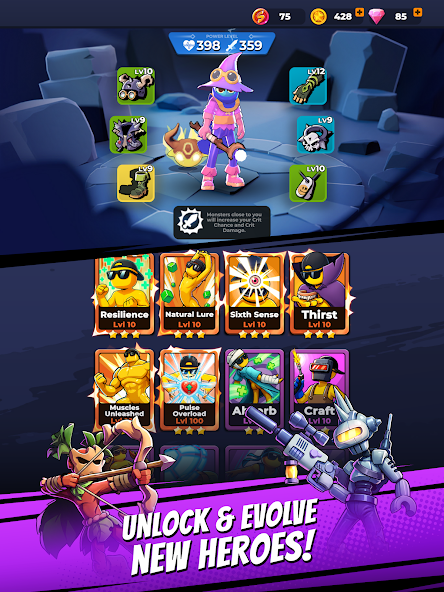
These are decision rules, not exact stat claims. If an App menu shows different values, trust the current screen.
Confirm the App before using a guide.
If your screen, heroes, weapons or upgrade menus do not match the App pages, stop and compare versions first.
Name the failure before spending.
Was the run lost to crowds, a boss, chip damage, slow kills or weak account power? Match the fix to that cause.
Build around jobs, not flashy names.
A reliable loadout needs crowd coverage, focused damage and a safety or flex layer.
Concentrate on one working plan.
Do not scatter upgrades across every hero, weapon or gear piece. Improve the setup you actually use.
Spend for durable value first.
Delay luxury upgrades when the benefit only helps a narrow or unproven setup.
Protect Gilded Cores.
Before spending scarce resources, check whether the result solves a current wall or unlocks broader account value.
Compare gear by visible effect.
Rarity is only one signal. Check effect, slot, current need, enhancement result and replacement risk.
Keep one defensive layer.
Pure damage plans can fail under pressure. Keep one layer that protects space, survival or recovery.
Do not import browser advice.
Steel Sword, Wooden Wand, FreezeNova map routes and old browser costs belong to a separate version.
Trust the current App screen.
Use the live preview for exact costs, stat changes, gear results and final spend decisions.
Decision map
If This Happens, Use This Page
The whole setup feels weak
Align hero, weapons, gear and skills.
Best Builds →Damage has the wrong shape
Fix crowd control, boss damage or safety roles.
Best Weapons →Gear replacement is unclear
Check keeper effects and enhancement risk.
Best Gear →A Core spend feels risky
Protect rare resources before narrow upgrades.
Gilded Cores →Two options look close
Use rankings, then confirm against your build need.
Tier List →Your screen looks different
Compare App vs browser first.
Version Comparison →Avoid These Wrong-Version Signals
Do not use browser-only weapon names as App recommendations.
Do not apply old browser gold costs to App upgrades or Gilded Cores.
Do not assume browser maps, bosses or drop behavior match the App.
Do not trust exact stats unless your current App screen confirms them.
FAQ
Monster Survivors App Tips FAQ
Is this tips page for the VOODOO App?
Yes. It covers the App published by VOODOO under package games.rivvy.monstersurvivors. The separate browser game has different weapons, maps and progression.
What should I check first when a run fails?
Identify the failure type first: crowds, boss pressure, survival, low damage or weak account power. Then adjust the matching build layer.
Should I follow Steel Sword or Wooden Wand advice?
No. Treat those as separate browser-version topics. Use App weapon, build, gear and upgrade pages for App decisions.
Where should I go if my game looks different?
Open the version comparison before applying weapon, hero, gear or upgrade advice.